Interactive World Map
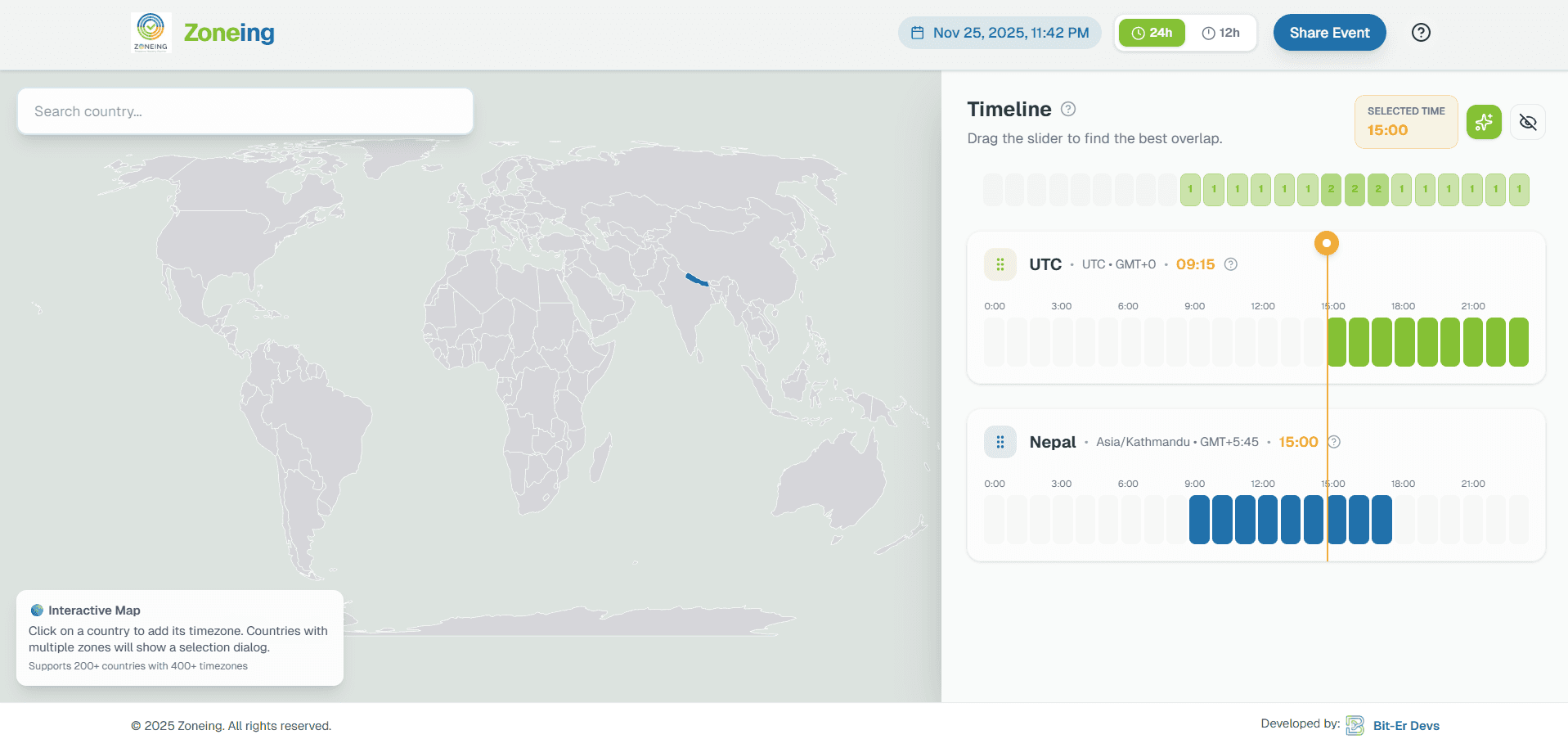
Select countries visually and add timezones with a click instead of hunting through lists.
Zoneing helps remote teams find the best meeting time across timezones with an interactive world map, overlap detection, and shareable planning links. Use this page to understand the tool, then open the live planner when you are ready to build a schedule.
Why teams use Zoneing
This page gives you a quick overview of Zoneing and a direct path to the live planner whenever you are ready to schedule.
Select countries visually and add timezones with a click instead of hunting through lists.
See the hours where everyone is available and quickly choose the best meeting slot.
Save and send a meeting setup as a link so the whole team sees the same schedule.
Search countries and jump straight to the correct timezone without extra clicks.
Built for remote teams, consultants, and distributed companies that work across regions.
Supports a wide range of countries and timezones so it stays useful for international work.
Step 1
Start with the places your team actually works from, then add client locations or event zones as needed.
Step 2
Zoneing highlights overlaps so you can pick a time that works for everyone without manual timezone math.
Step 3
Copy a shareable link so the rest of the team can open the same plan and stay aligned.
Zoneing reduces timezone math, highlights overlapping work hours, and helps teams move from guessing to scheduling in a few clicks.
Open the live planner to use the interactive scheduling experience, then share the resulting plan with your team.